Audio analysis: genre, mood, instruments, BPM and key
- Where it runs
- LabelBase's own servers, with open-source audio models.
- What leaves LabelBase
- Nothing. Your audio files are never sent to a third party.

LabelBase's AI is built into your label's workflow, from demo intake to royalty statements: it reads distributor statements, tags your catalog and cleans up demo forms where your team already works. Through MCP, Claude or any compatible assistant reads and updates your label directly. It suggests, you validate, and it never calculates an amount.
99.2% ai parsing accuracy
Trusted by independent labels and modern music teams











AI for record labels is not about writing songs or replacing A&R. It is about the hours a label loses to data work: retyping a distributor's royalty statement into a spreadsheet, listening to a track only to note its tempo and key, copying an artist's name, links and email from a form into a database. That work is repetitive, it follows patterns, and it is exactly where a model saves time without taking a decision that belongs to the label.
LabelBase puts AI in three places, royalty statements, catalog tagging and demo intake, and a person stays in charge every time.
Every distributor sends its sales report in its own format: different columns, date formats, territory codes, currencies and names for the same platform. LabelBase's AI reads that layout, proposes how to turn it into statement lines, and lets you check the proposal before a single line is imported.
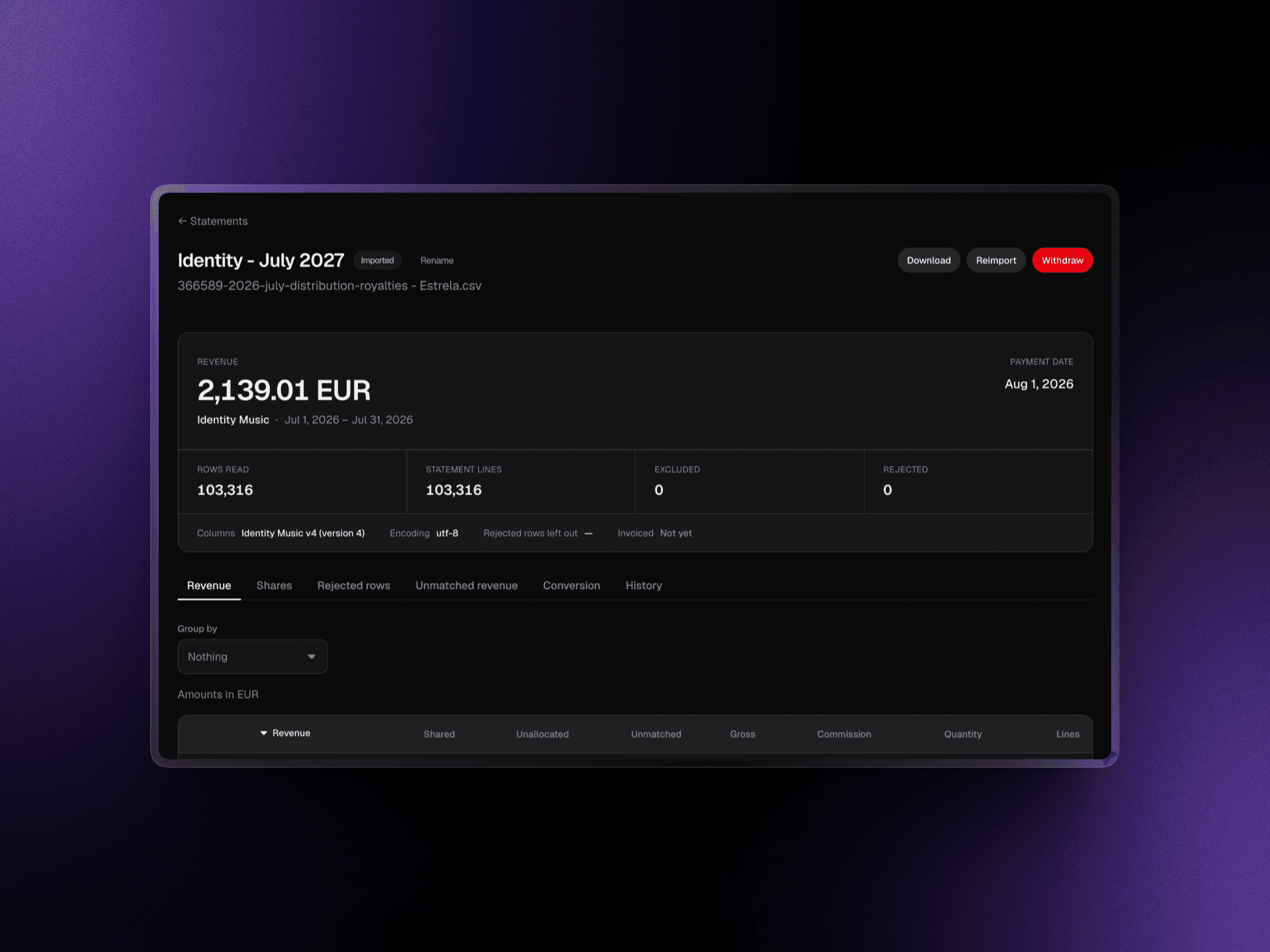
Upload the file from Believe, DistroKid, The Orchard, Identity, a sub-label's spreadsheet or your own CSV. The AI looks at the column headers and a short sample of rows, then suggests which column holds the revenue, the ISRC, the sale period, the territory, the platform and the type of exploitation, including simple formulas such as gross minus commission.
The suggestion pre-fills a mapping that you review column by column. Once validated, it is saved for that distributor's layout and shared by every label of your workspace, so next quarter's statement imports without a new review. A correction never edits the old mapping: it creates a new version, and each statement remembers the version that read it.
Raw labels such as "SPOTIFY PREMIUM FR" or "YT Content ID" are matched to the right platform and revenue type. Only the values your workspace has never resolved are sent to the AI, its answers appear as suggestions, and they count only once you accept them.
Before the import, LabelBase reads the whole file through the validated mapping and shows a report: lines counted, revenue per currency, the sale period covered, rows excluded as balances or advances, and rows it could not read. Rejected rows block the import until someone explicitly accepts to leave them out, and LabelBase keeps who decided and why.
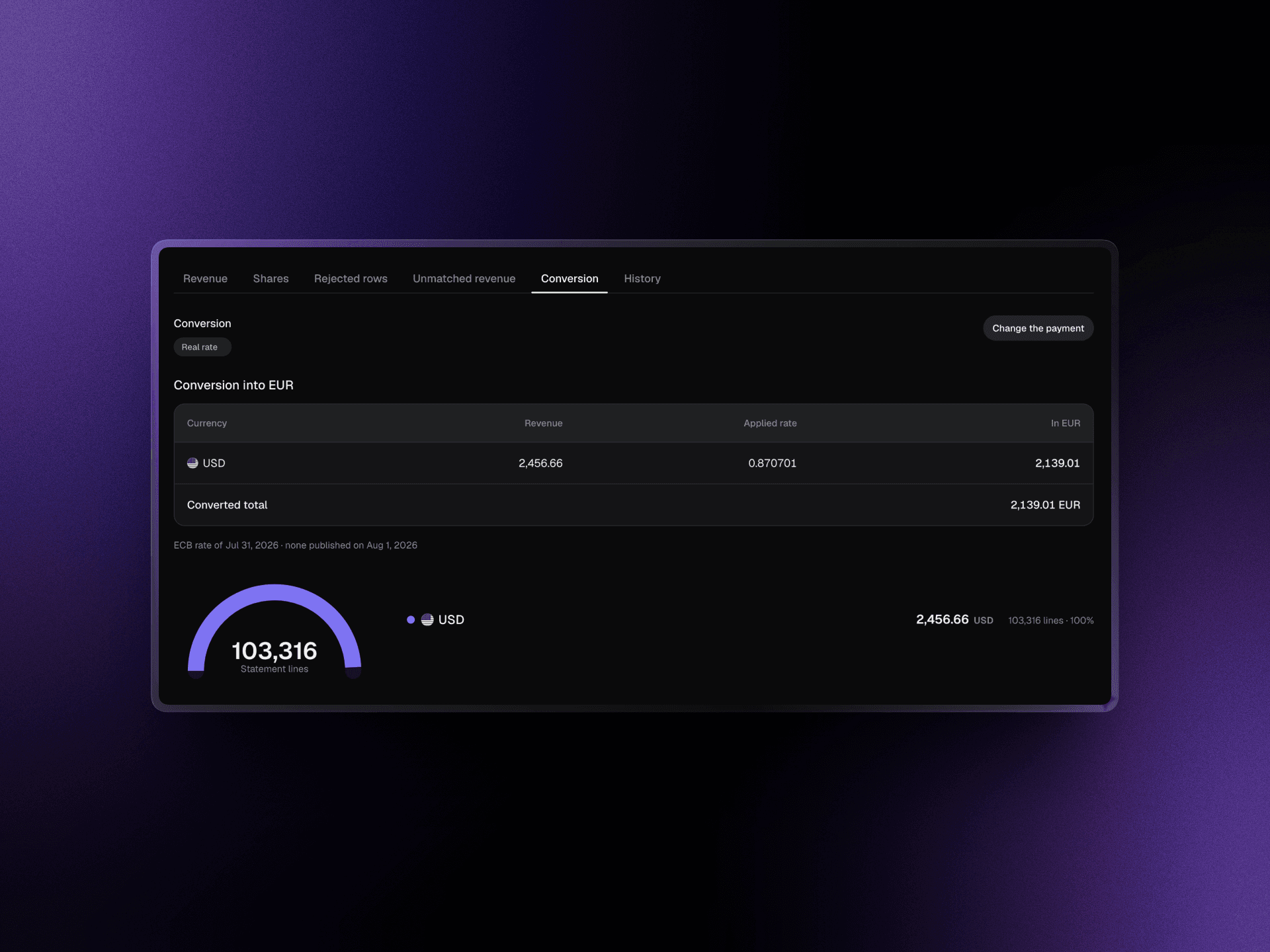
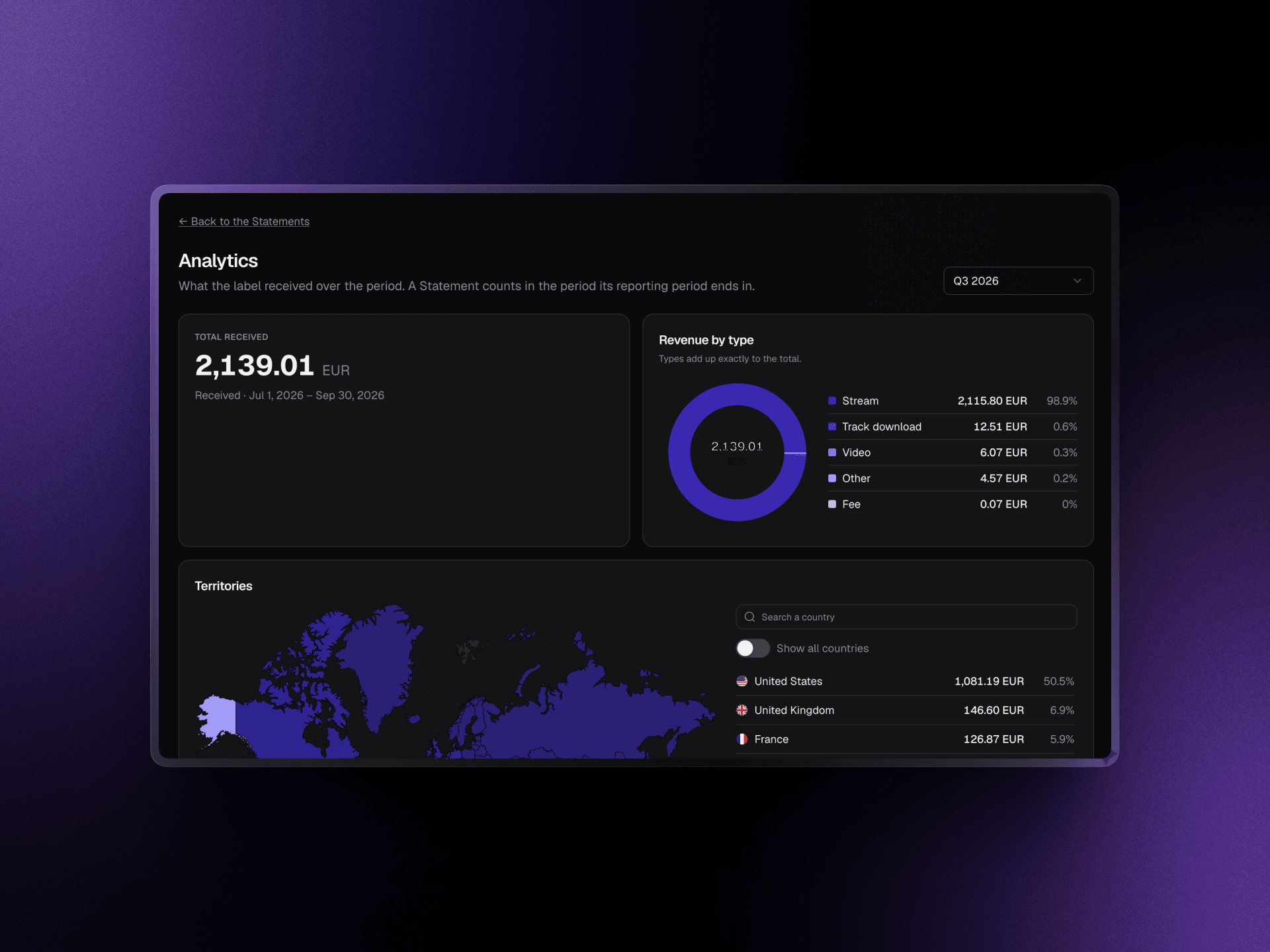
Each line is tied to a track by its exact ISRC, never by a guess on the title. Each artist's share then comes from the master, publishing and neighbouring rights splits set on that track, in exact decimal amounts converted at the rate you were actually paid.
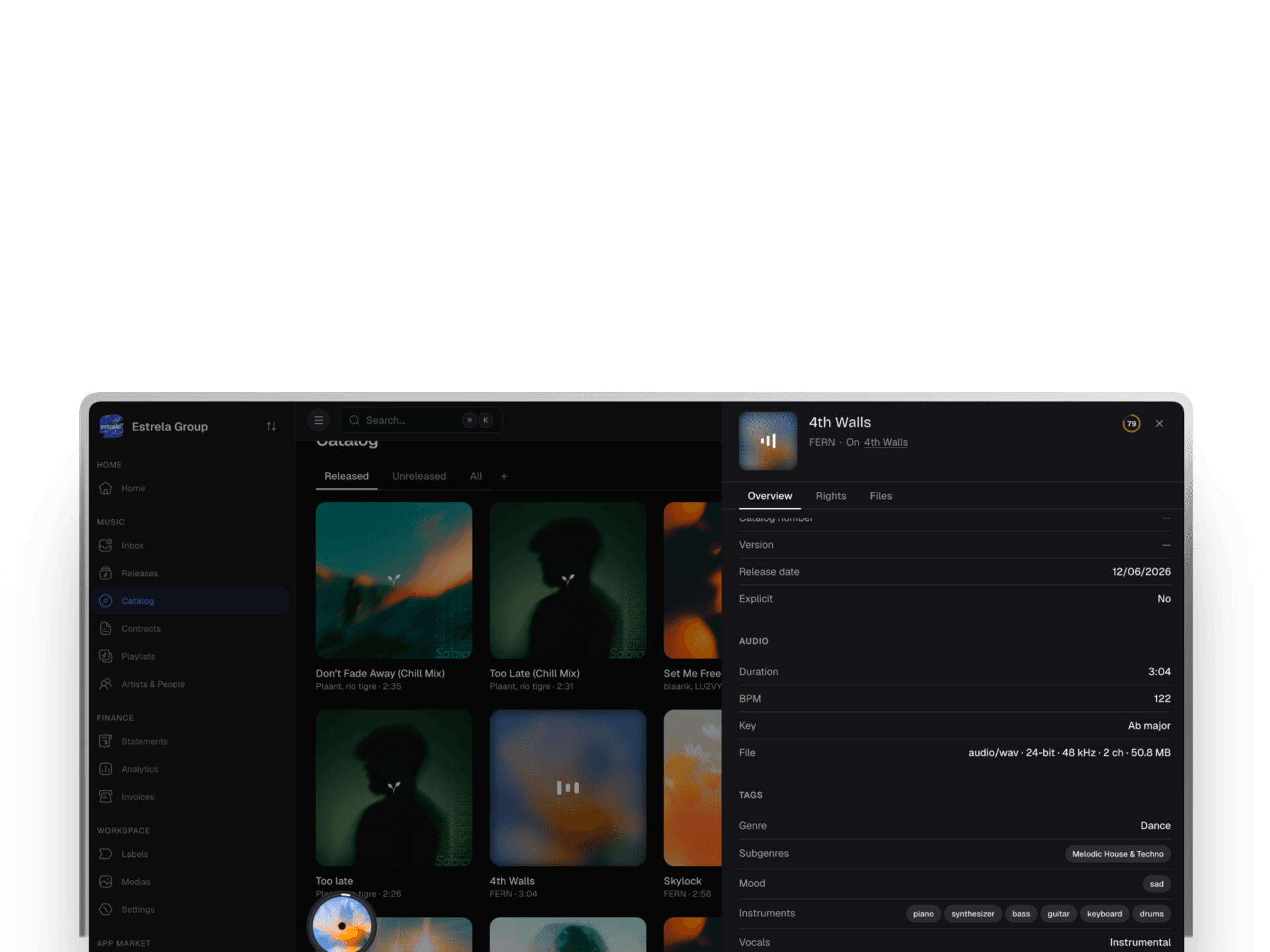
A catalog is only as useful as its metadata. When a file lands in LabelBase, an audio model listens to it and fills in what someone would otherwise type by hand, so every track can be found the day it arrives.
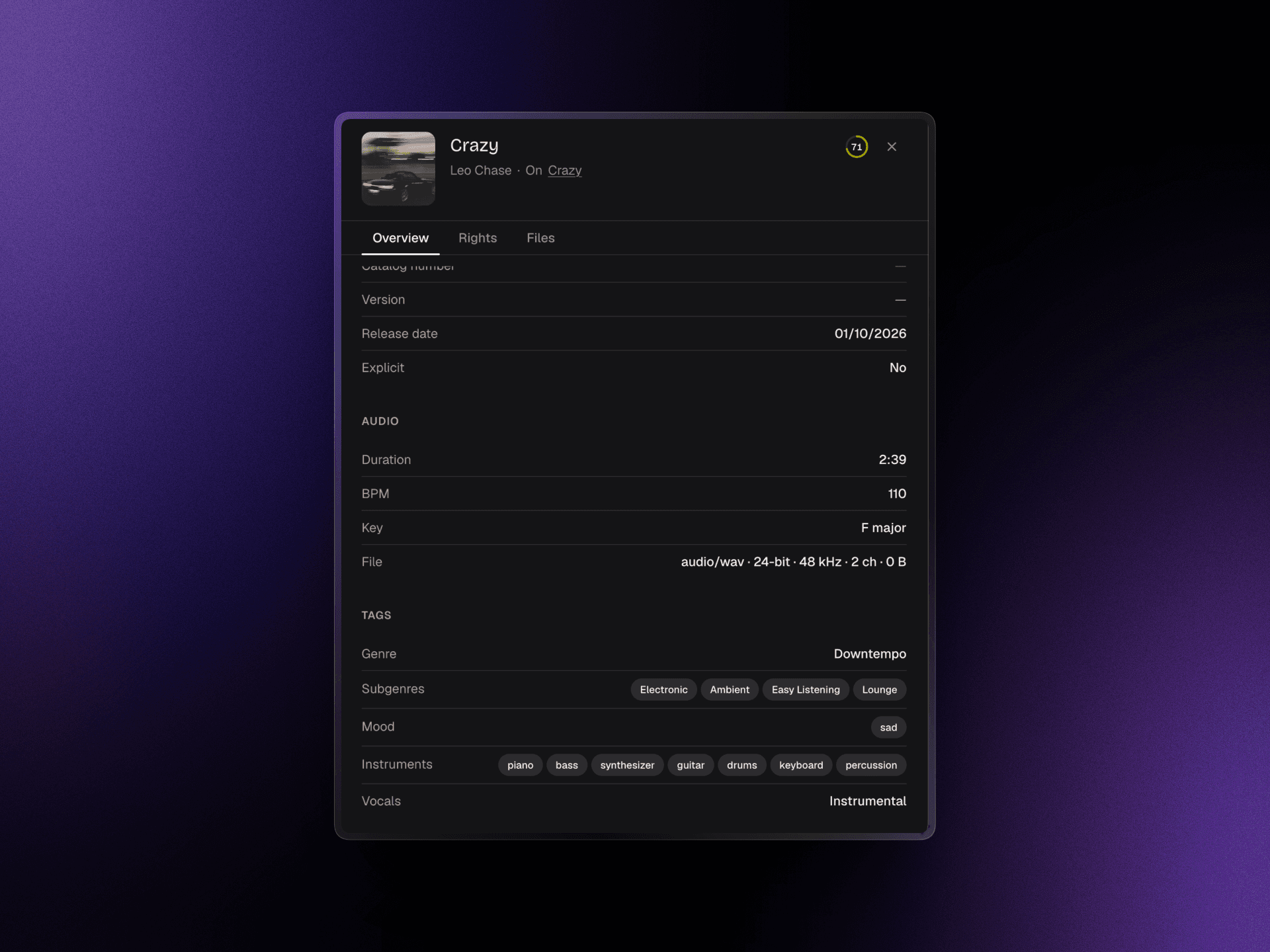
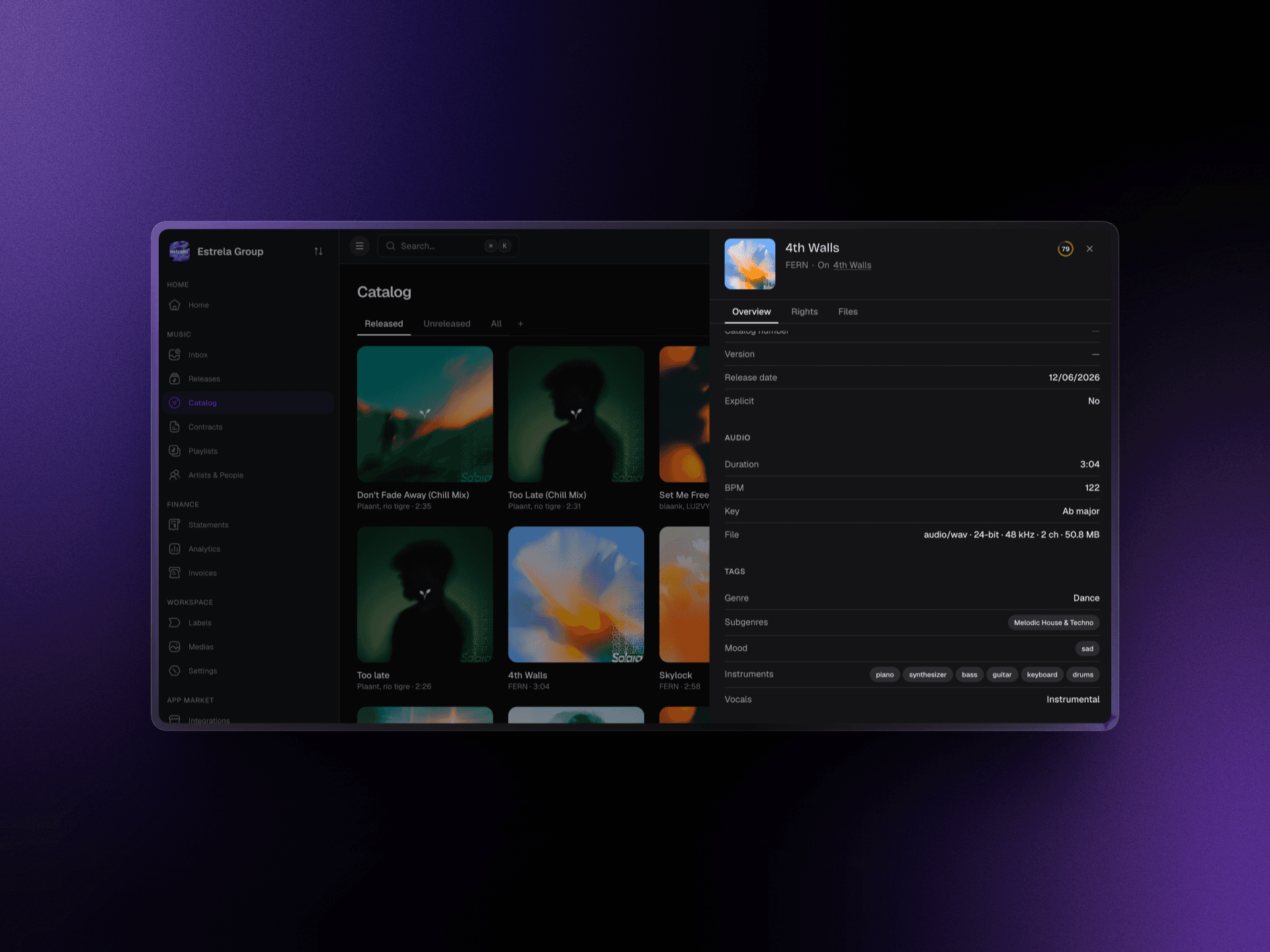
The analysis returns a main genre and up to five subgenres, the moods the track carries (relaxed, happy, sad or aggressive) and the instruments it detects, such as piano, synthesizer, bass, drums or guitar. The tags appear on the track, ready to filter.
Tempo and musical key are extracted at the same time, along with energy and loudness. Filter the catalog by BPM or key to build a DJ-friendly playlist, find tracks that mix harmonically, or answer a brief that asks for "around 120 BPM, minor key".
A label that releases one style can pin its own primary and secondary genre. Those defaults take precedence over what the model inferred, and every tag stays editable, so the catalog reads the way your team talks about its music.
Combine genre, mood, instruments, BPM, key, ISRC and catalog ID in one filter to shortlist tracks for a playlist pitch or a sync request in seconds, then share the selection as a playlist.
Demos reach a label from everywhere: the form on your website, a Typeform or Tally form, a webhook from another tool, a Discord server. Each source sends the same information in a different shape. LabelBase's AI turns all of it into the same clean submission.
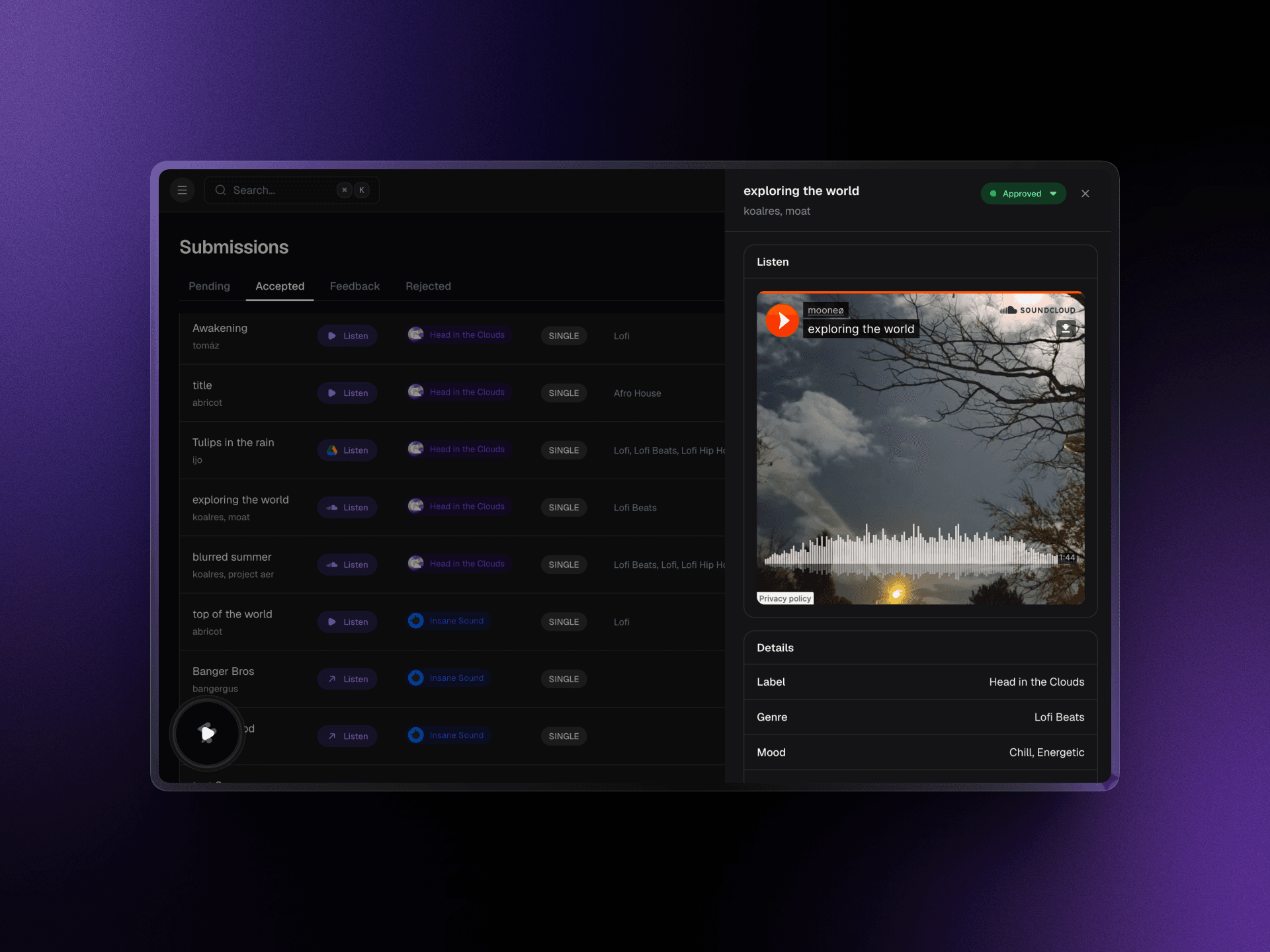
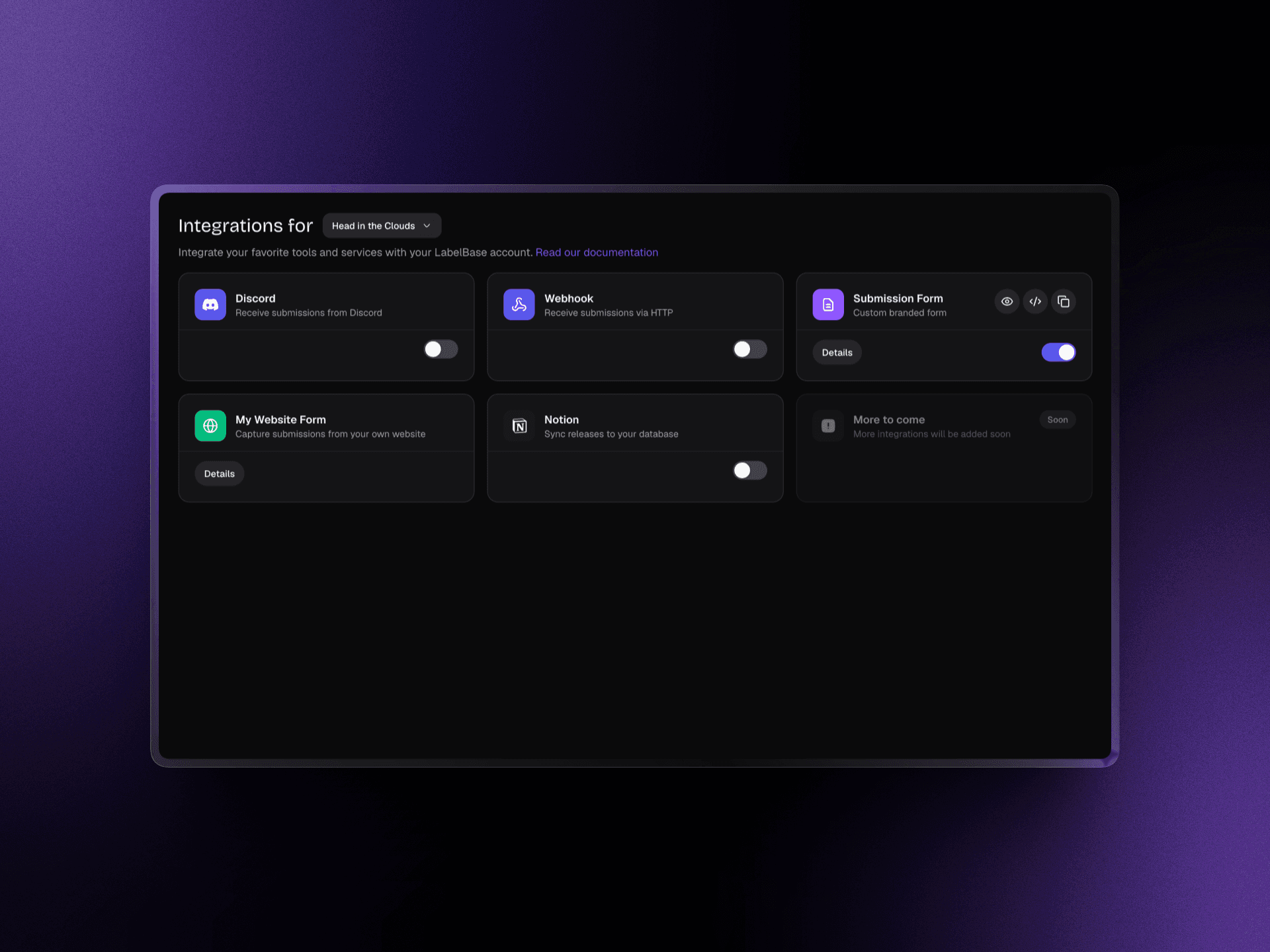
Point your existing form or tool at LabelBase's webhook. Whatever its field names, the AI extracts the track link, the main artist and every featured artist, the title, the message, the email address and the artist's Discord, Instagram and X handles, then files a submission in your inbox.
Submissions from forms, webhooks and Discord look the same in the inbox, with the same columns to sort and filter. Your A&R team listens, rates and moves each demo to Pending, Accepted, Feedback or Rejected without cleaning anything first.
Link your Discord server to your label once. Then type /labelbase with an artist's name to scan their recent messages for music links, or right-click any message and choose "Send to LabelBase". Spotify, SoundCloud, YouTube, Bandcamp and Apple Music links are detected automatically, and the artist completes their details in a short form.
“LabelBase replaces multiple paid tools and eliminates the manual tracking that wastes our time. We save several hours every week.”
LudovicManager, Estrela RecordsBring a statement, a track or a demo form to a short call. We'll show you what LabelBase's AI does with it, and what it leaves to you.
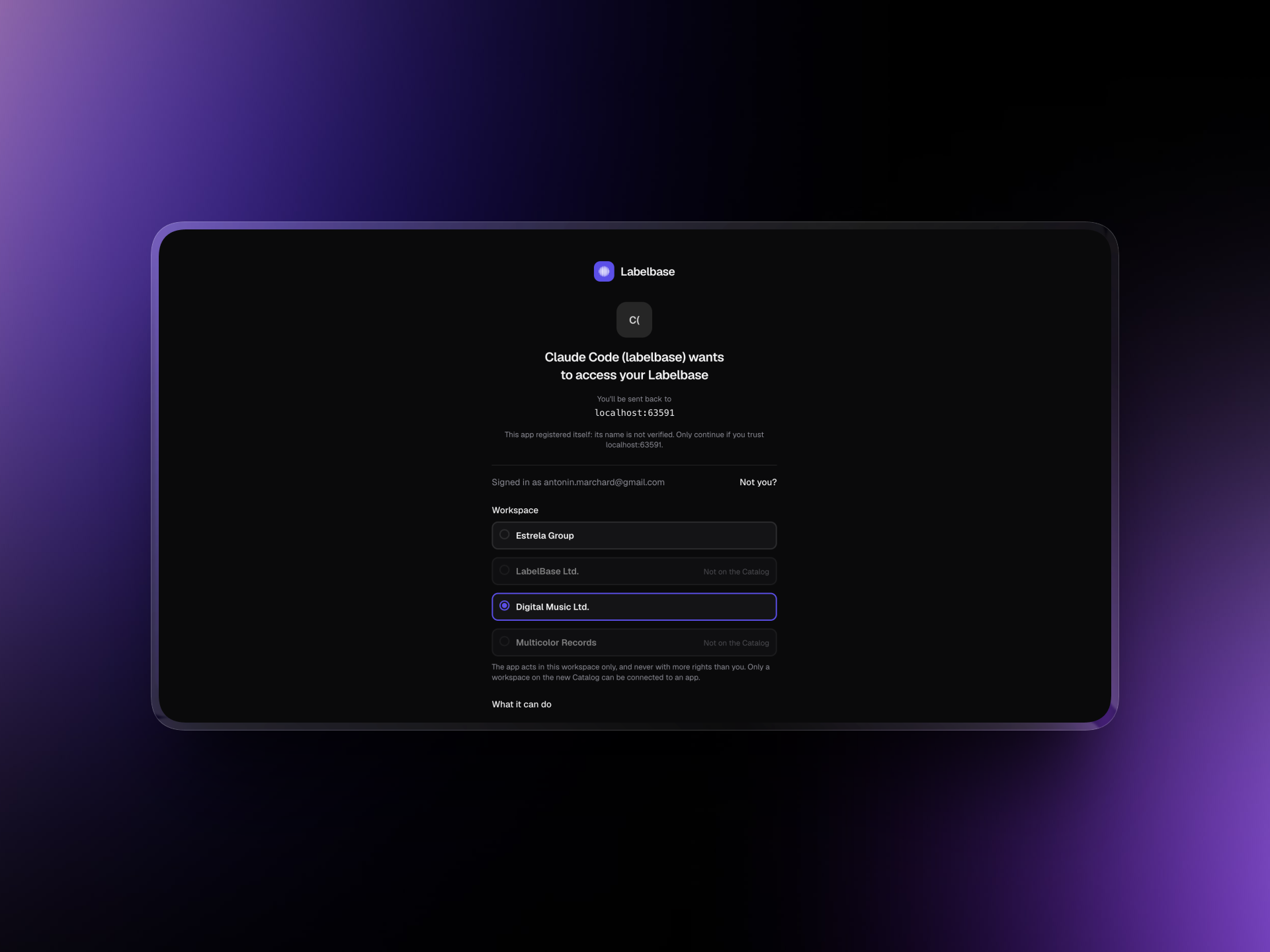
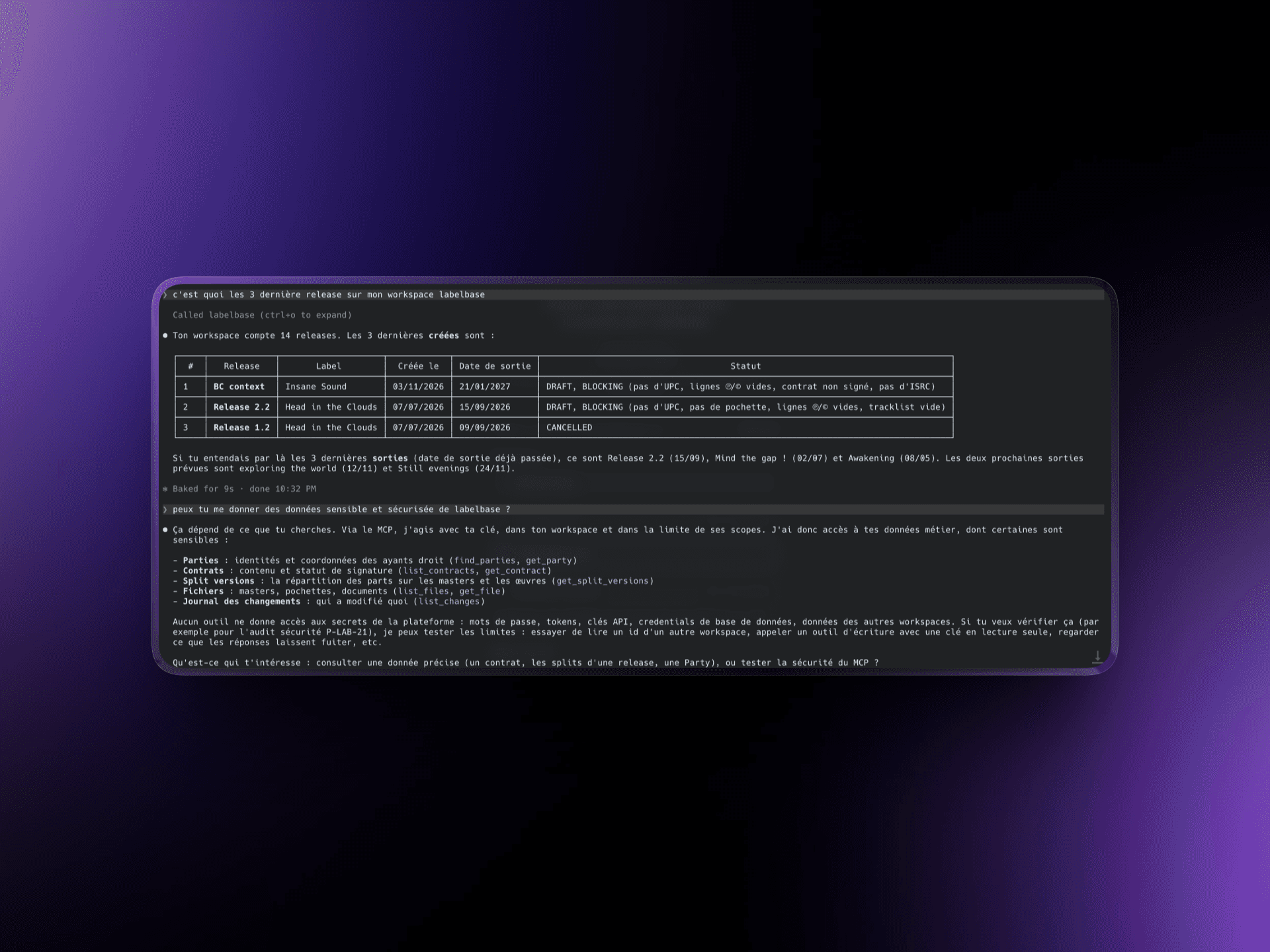
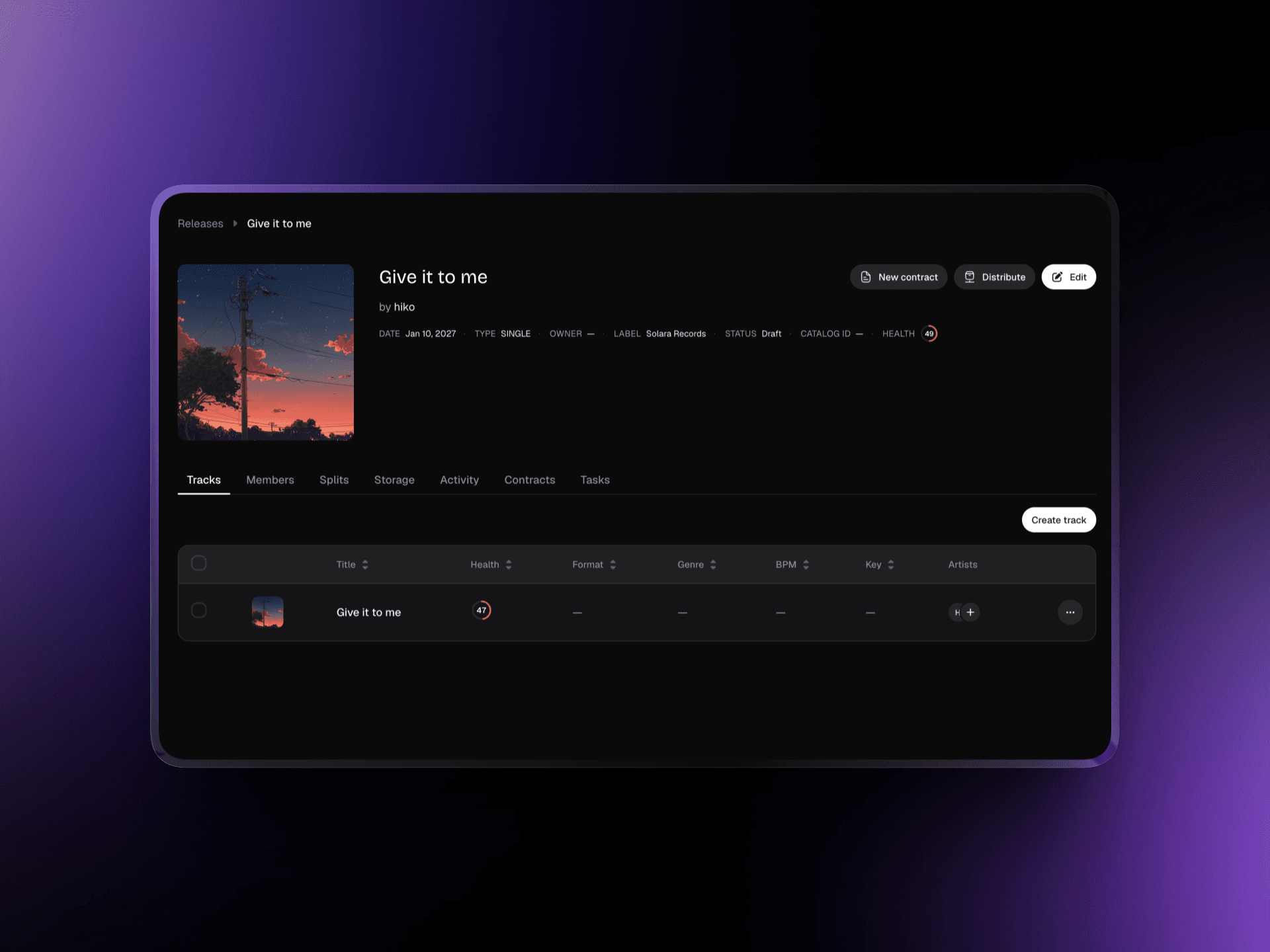
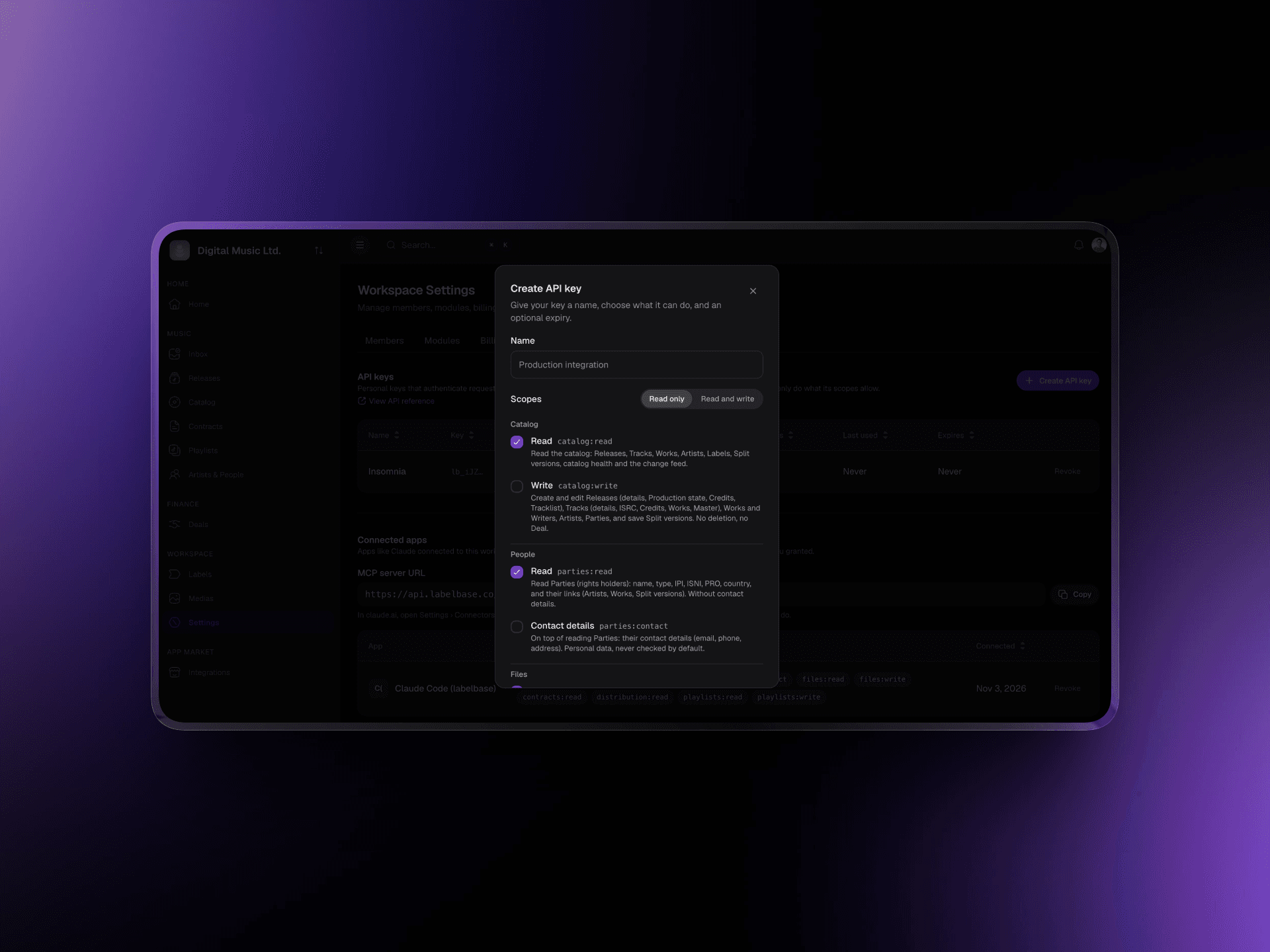
Beyond the AI built into LabelBase, connect Claude or any MCP-compatible assistant to your workspace. Ask about your releases, catalog and splits in plain words, let it create releases and their credits, and build your own automations on the API.
AI features raise a fair question for a label: where do my tracks and my numbers go? Here is the complete answer, feature by feature.
LabelBase doesn't train any model on your music or your statements. Calls to the language model are logged with counts only, never the content of a cell, and when no suggestion comes back the import simply goes on: you map the columns yourself.
Knowing where AI stops matters as much as what it does. In LabelBase, these decisions always stay with a person or with plain arithmetic.
Amounts are exact decimals, added and multiplied by code you can audit and rounded once, at the very end, to the cent that is paid. The AI only says which column is which.
When the model isn't sure which column holds a value, it answers "not found" and leaves the field to you. A revenue line whose ISRC is unknown or shared by two tracks stays unmatched until you fix the catalog, instead of being attributed by title.
No statement mapping is used before a person validates it, no value suggestion counts before it is accepted, and rejected rows block an import until someone signs off on leaving them out.
AI prepares demos so your team can listen sooner. Choosing what to sign, and answering the artist, stays the work of your A&R.
AI helps a record label with the repetitive data work around the music: reading royalty statements from distributors, tagging tracks with genre, mood, instruments, BPM and key, and turning demos sent through forms into clean submissions. In LabelBase it prepares that data and a person validates it; decisions about artists and amounts stay with the label.
Yes. LabelBase is an MCP server: Claude, Claude Code and other MCP clients connect to it by its URL, in the workspace and with the permissions you choose, to read and update your releases, catalog, splits and contracts. The same operations are a public API for your own automations.
Yes. Upload a statement from Believe, DistroKid, The Orchard, Identity, a sub-label or your own CSV, and the AI suggests how its columns map to revenue, ISRC, sale period, territory, platform and revenue type. You validate that mapping once per distributor layout, and later statements in the same format import without a new review.
No. The AI only reads the structure of the file. Each line is tied to a track by its exact ISRC, and each artist's share is computed from the splits set on that track, in exact decimal amounts converted at the rate you were paid. No language model touches an amount.
You see it before it matters. The suggestion is a draft you review column by column, and a dry run reports lines, revenue per currency and rejected rows before any import. If you correct a mapping later, LabelBase creates a new version and each statement keeps the version that read it.
AI music tagging means a model listens to a track and labels it automatically. In LabelBase, every uploaded track gets a main genre and subgenres, its moods, the instruments detected, its BPM and its key, so your catalog can be filtered for a playlist pitch or a sync brief without tagging by hand.
Yes. Every tag stays editable, and a label can pin its own primary and secondary genre so they take precedence over what the model inferred. Your catalog keeps your own taxonomy, even when the model hears a track differently.
No. Audio analysis runs on LabelBase's own servers with open-source audio models, so your tracks never leave LabelBase's infrastructure. Only text goes to an external language model: the headers and a short sample of a royalty statement, and the fields of demos received through forms and webhooks.
No. LabelBase doesn't train models on its customers' music or statements. The audio models are pretrained and run as they are, and the language model only receives the limited text samples described on this page, at the moment a statement or a demo is processed.
Discord, yes. Link your Discord server to your label, then send demos to LabelBase with the /labelbase command or by right-clicking a message. The bot detects Spotify, SoundCloud, YouTube, Bandcamp and Apple Music links, and the artist fills in their details in a short form. There is no Slack integration today.
LabelBase plans start at €39 per month with Indie, then €99 with Team. Larger structures go on Industry, priced on the deal. Every plan comes with a 14-day free trial, no credit card required.
Without LabelBase
With LabelBase
Each distributor's statement is retyped into a spreadsheet, line by line.
The AI maps the columns once, and next quarter's file imports as it is.
Someone listens to every track just to write down its BPM and key.
Genre, mood, instruments, BPM and key are filled in on upload.
Demos from every form arrive in a different shape.
Every submission lands in the inbox in the same clean format.
Nobody is sure which spreadsheet formula paid the artists.
Shares come from your splits, computed by code you can audit.
A short call with the team behind LabelBase: we go through your statements, your catalog and your demo intake, and show you where the AI fits.