The Monday check
“Which releases come out in the next four weeks, and what's still missing on each?” One question, the answer in a table, before the weekly meeting.

Ask Claude about last month's releases, have it create a release with its artist and splits, or wire your own automations. LabelBase connects your AI assistant to your release management, your catalog and your royalty splits, through an MCP server and a public API.
~/my-label — claude
labelbase connected
give me the last 10 releases on labelbase, already released, with a release date before today
The list is sorted by creation date, not release date, so I'll fetch every released one and sort them myself.
Here are the 10 most recent releases with a release date before today (2026-11-03). There's a tie at the cutoff, so the list has 11 entries:
| # | Release date | Release | Label | Production state |
|---|---|---|---|---|
| 1 | 2026-10-30 | Paper Boat | Tavae Music | TO_SELL |
| 2 | 2026-10-23 | Arc Pulse | Solara Records | SOLD |
| 3 | 2026-10-22 | You're Mine | Estrela Records | SOLD (Lilly Era) |
| 4 | 2026-10-16 | Waiting For The Sunshine | Solara Records | TO_SELL |
| 5 | 2026-10-16 | Raised by Silence | Tavae Music | SOLD (Tavae) |
| 6 | 2026-10-15 | anyway | Estrela Records | SOLD (Soave Lofi) |
| 7 | 2026-10-09 | Passing time | Tavae Music | SOLD (Tavae) |
| 8 | 2026-10-09 | Too Late | Solara Records | SOLD (Solara Records) |
| 9 | 2026-10-02 | Wood Nymphs | Tavae Music | SOLD (tavae) |
| 9 | 2026-10-02 | Should've Known | Solara Records | TO_SELL |
| 9 | 2026-10-02 | I Remember Her | Estrela Records | SOLD (Avorio) |
All of them are singles. The workspace has 115 releases with a past release date in total.
Worked for 23s
ok create a new release for Solara, “Give it to me”, assign hiko as primary artist (he doesn't exist yet, create him), and create a party “Marchal Hernzt” with 50% of the master split
Nothing exists yet. Creating the artist and the party.
Solara's default master split gives the label 50% and leaves 50% unallocated. Marchal's 50% fills the gap exactly, so I'm recording Solara 50% + Marchal Hernzt 50%.
Done: the release “Give it to me” exists under Solara Records, with hiko as primary artist and Marchal Hernzt at 50% of the master split.
I didn't have to choose who gets the other half: Solara's default split already gave 50% to the label and left 50% without a holder. Marchal's 50% fills exactly that gap. If the second half should go to someone other than the label, tell me and I'll record a new version.
Still missing: the release date, UPC, ISRC, artwork, ℗/© lines and genre.
Sautéed for 27s
you can set the release date to January 10, 2027
Done: “Give it to me” now comes out on January 10, 2027.
The release is still blocked. It's still missing:
If you give me those, I can fill in the ℗/© lines (for example “2027 Solara Records”, like its other releases) and the genre.
Worked for 9s
Trusted by independent labels and modern music teams










To get an answer out of your catalog, you export a CSV, paste it into ChatGPT and hope it reads the columns right. To automate anything, you rebuild a Zap or a Make scenario on top of a spreadsheet that stopped being up to date last week.
With the LabelBase MCP, your AI assistant reads and updates your label directly, with your permissions. With the API, your automations work on the same data, without a spreadsheet in between.
LabelBase is a remote MCP server. Add its URL as a connector in Claude or any MCP client, sign in to LabelBase, and choose what the assistant may do.
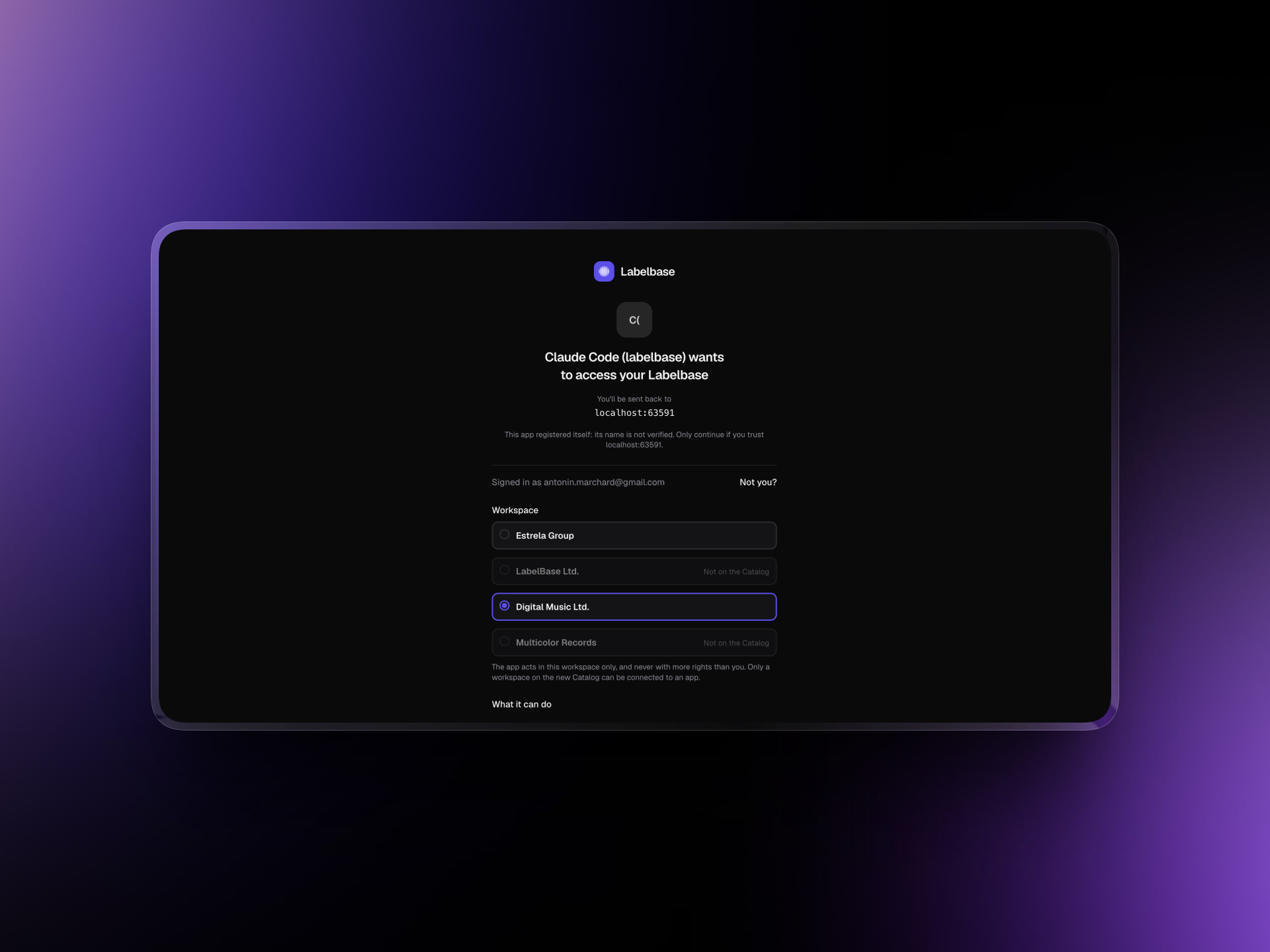
Add https://api.labelbase.co/mcp as a custom connector. You sign in to LabelBase through OAuth: no key to copy, nothing to host.
You choose the workspace the assistant acts in and what it may read or write: catalog, parties, files, contracts, distribution, playlists.
The assistant acts as you, and only within what you may do in the workspace. It never sees a social security or VAT number.
Disconnect the app from LabelBase and its access stops at once. Developer tools like Claude Code connect with an API key instead.
Releases, tracks, works, artists, parties, splits, contracts, files, distributions, playlists: your assistant reads them as they are right now, and answers in a sentence or a table.
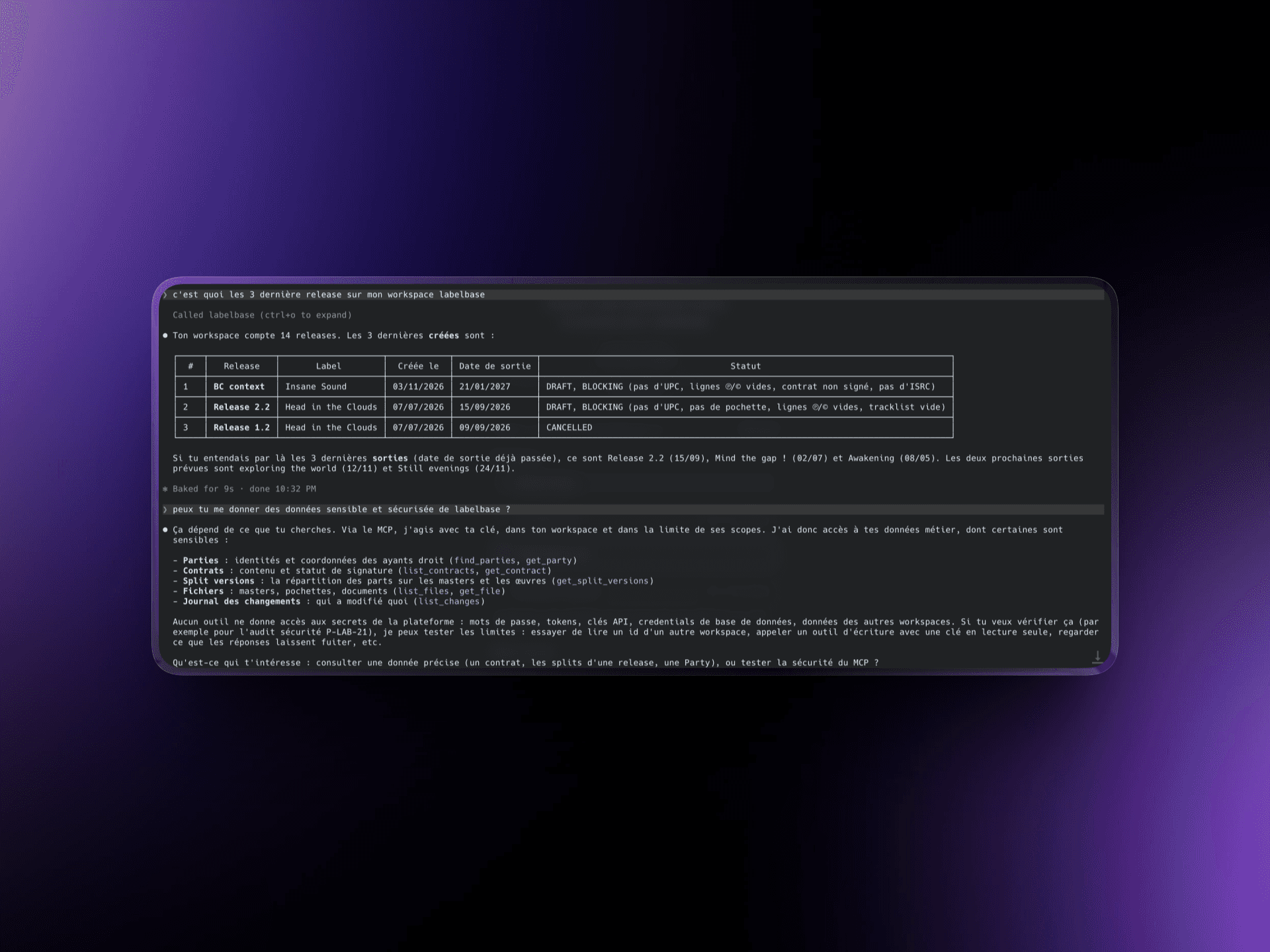
Catalog health tells it what each release and track is still missing: UPC, ISRC, artwork, master, ℗/© lines.
It reads every split version of a track or a work, the one in effect on a date, and what is left unallocated.
Which contracts are signed, which are still waiting, and how each distribution went, component by component.
Describe the release, and your assistant creates it: the release and its tracks, missing artists and parties, credits, works, splits and release dates.
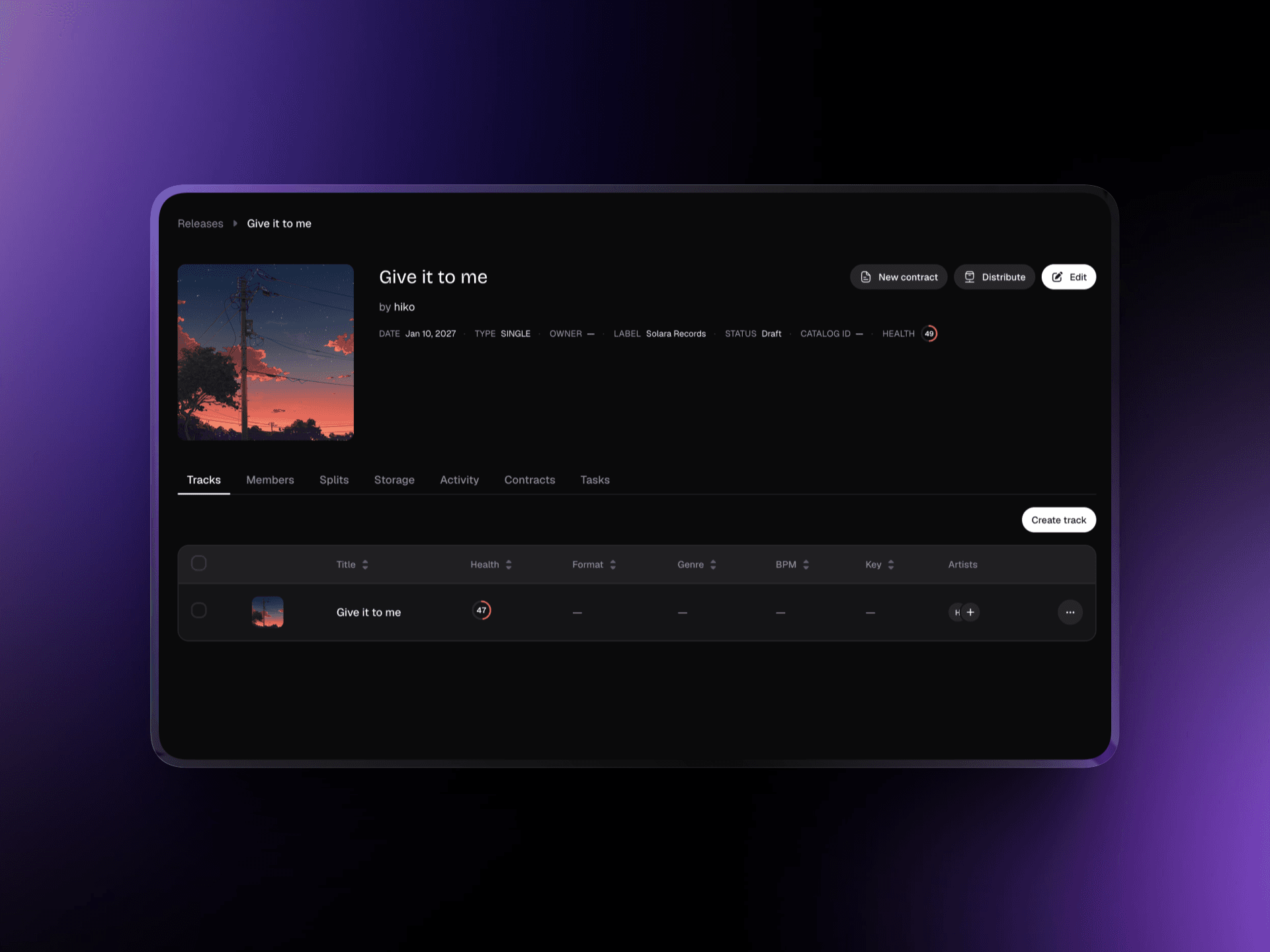
It looks for the artist, the party or the work before creating one, and a namesake, IPI or ISRC already held is never merged nor duplicated.
A split is never edited in place: a correction is a new version, so the history of who held what stays intact.
Each write is checked against the version it read. If someone changed the release in the meantime, nothing is written.
The same operations are a REST API, documented in OpenAPI. Create a key with the scopes it needs, and plug LabelBase into n8n, Make, Zapier or your own scripts.
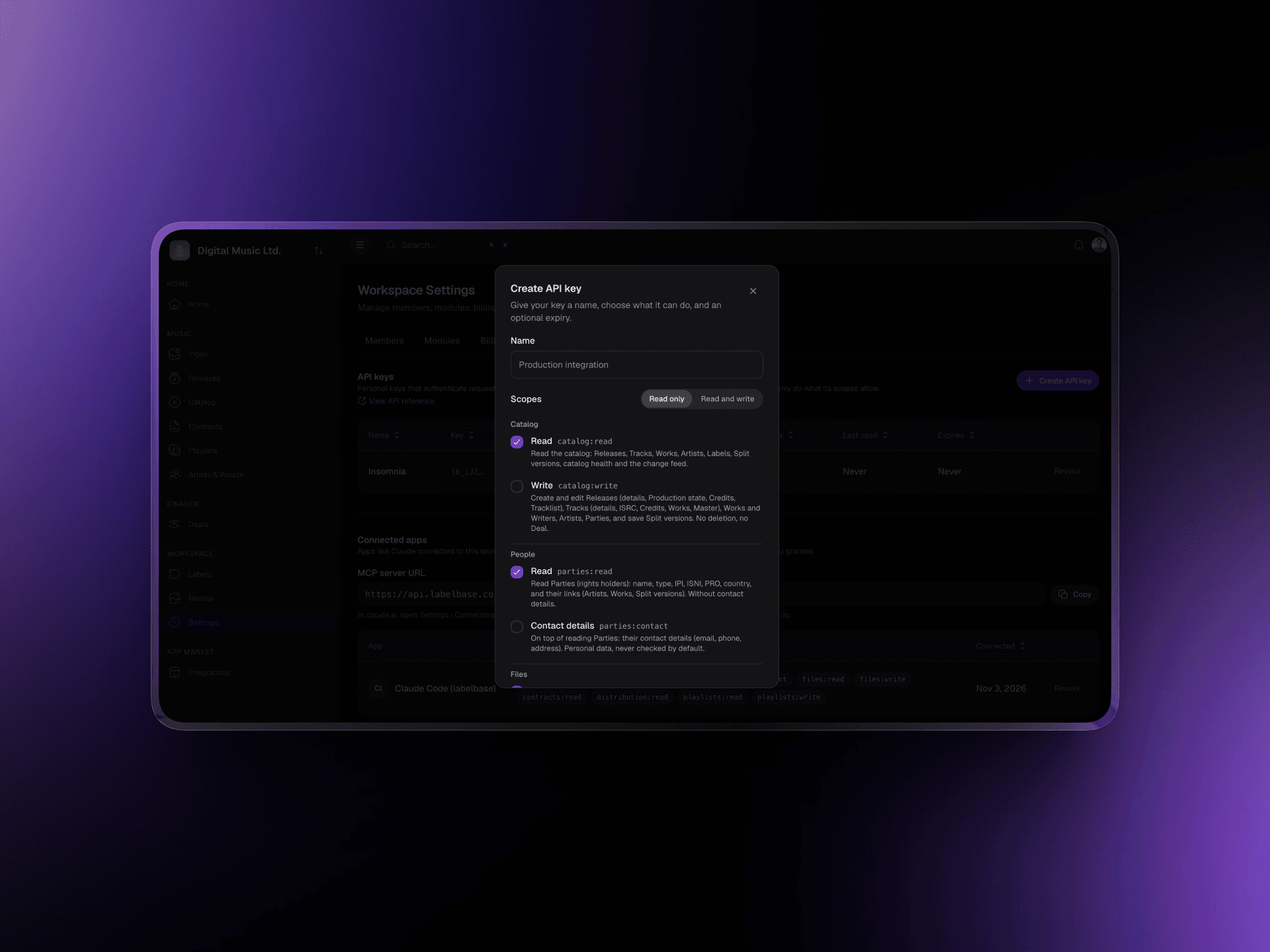
Each key is created from your workspace settings with only the scopes it needs, and shown once.
Every change of your workspace, made in the app, by the API or by LabelBase, after a cursor that never expires: stay in sync without missing one.
Creations take an idempotency key: a request retried after a timeout never creates the same release twice.
Upload masters, artwork and contracts to a release's or a track's folder, then assign them where they belong.
Show us in a short call. We'll connect your assistant to a LabelBase workspace and walk you through what it can read, create and automate.
“Which releases come out in the next four weeks, and what's still missing on each?” One question, the answer in a table, before the weekly meeting.
Paste the artist's email with the tracklist and credits: the assistant creates the release, the missing parties and the splits, and lists what's left to send.
Post to Slack when a contract is signed, sync your catalog to a spreadsheet, or push releases to your website, by following the change feed.
The MCP covers the work a label does every week, from the release schedule to the rights behind each track. Here is what your assistant can read and do, area by area.
Create releases with their tracklist, credits and release date, move their production state, and ask what still blocks each one before it goes out.
See Release pipelineSearch tracks, works and artists, read the catalog health of every release and track, and fill in missing metadata such as ISRCs and version titles.
See Playlists & catalogRead who holds what on a track or a work on any date, and record a new split version when a deal changes. Statements are imported in LabelBase, with its own AI.
See Royalties & statementsSee which contracts are signed, which are still waiting and who has yet to sign, release by release.
See Contracts & e-signatureFind or create artists and parties with their IPI, ISNI and PRO, without ever duplicating a namesake.
See NetworkList the masters, artwork and contracts of a release, and follow each distribution, component by component.
See Release intakeYes. LabelBase connects the AI assistant you already use, such as Claude, to your label: it answers questions about your releases, catalog, splits and contracts, and creates or updates them for you, with your permissions. LabelBase also has its own AI for royalty statements and music tagging.
An assistant connected to LabelBase can create releases and tracks, credit artists, fill in metadata, record splits and set release dates, and tell you what still blocks each release. You stay in control: it acts within the scopes you granted, and a write on something that changed since it was read is refused.
MCP, the Model Context Protocol, is the standard AI assistants use to connect to other software. As an MCP server, LabelBase gives your assistant tools to read and update your label, with your permissions.
Any client that supports remote MCP servers: Claude and claude.ai through a custom connector, coding agents like Claude Code with an API key, and the other MCP clients and agent frameworks.
No. It acts as you, in the workspace you chose, within the scopes you granted, and never beyond what you may do there. It only sees the tools its scopes grant, and each tool tells whether it only reads.
The API never deletes a file or a track, and splits are only ever added as new versions. A release can be deleted and restored. Every change shows in the change feed, whoever made it.
In its reference at api.labelbase.co/api/v1/reference, with guides on authentication, scopes, pagination, the change feed, file uploads and the MCP. The raw OpenAPI contract is there to generate a client.
Each API key may make 300 requests per minute, and every answer tells you how many are left. The MCP counts in the same limit as the API.
Without LabelBase
With LabelBase
You export a CSV to ask a question about your catalog.
You ask your assistant, and it reads the catalog as it is now.
Creating a release means filling the same five forms.
One sentence creates the release, its artist, its parties and its splits.
Your automations run on a spreadsheet copied by hand.
They follow the change feed and read the catalog through the API.
A script overwrites what a colleague changed a minute ago.
A write on something that changed since it was read is refused.
A short call with the team behind LabelBase: we connect your assistant to your workspace and look at the automations you'd build first.